



Talk to AI Characters With Rosebud AI
How to Chat With Anime, Game, and Fictional Legends Using AI
Imagine opening a game and instantly talking to your favorite characters — not with scripted dialogue, but with real, intelligent conversation powered by AI. With Rosebud AI, you can create interactive chat experiences where characters think, respond, and behave like their true personalities.
From anime icons like Gojo Satoru, Monkey D. Luffy, or Goku, to legendary game heroes like Lara Croft and Solid Snake, Rosebud AI lets you turn any fictional character into a playable AI-powered conversation experience — no coding required.
What Does “Talking to AI Characters” Really Mean?
This isn’t just a chatbot with canned replies. Using modern LLM-powered AI, characters can:
- Respond dynamically to your questions
- Stay in character with consistent personality, tone, and values
- Remember context within the conversation
- React emotionally and intelligently to your choices
It feels less like “chatting” and more like entering a living story or game world.
Why Rosebud AI Is Perfect for AI Character Chat Games
Rosebud AI is an AI game maker designed for creators, fans, and storytellers. Instead of writing code, you describe what you want — and the platform builds it for you.
With Rosebud AI, you can:
- Create 2D games instantly from prompts
- Upload character images or artwork
- Design chat-based gameplay modes
- Add AI personalities powered by large language models
- Share and play your game instantly in the browser
This makes it one of the easiest ways to build AI character chat experiences today.
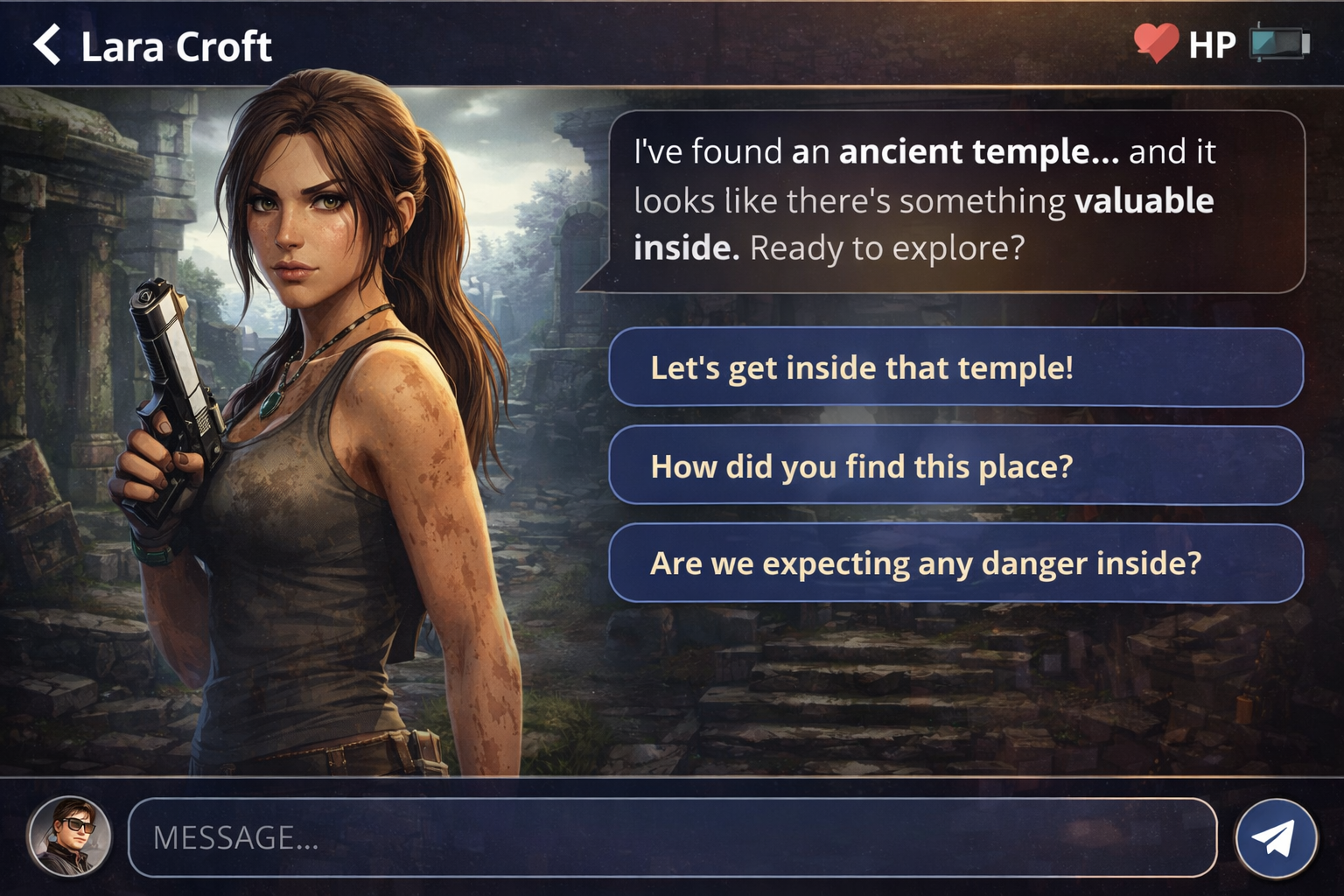
How to Create a “Talk to AI Character” Game With Rosebud AI
1. Go to Rosebud AI and Create a New Game
Head to rosebud.ai and start a new project. Choose a 2D game format — this is perfect for chat-driven experiences.
2. Write a Prompt for a Chat-Based Interface
In the prompt box, describe what you want clearly, for example:
“Create a 2D game with a chat interface where the player can talk directly to a fictional character. The main gameplay is conversation, choices, and role-play.”
Rosebud AI will generate the game structure automatically.
3. Upload a Character Image
Upload an image of your chosen character — anime, game, or original art. This becomes the visual anchor of the experience and helps players emotionally connect with the AI.
4. Ask Rosie to Build the AI Character (This Is the Key Step)
Now comes the magic.
Ask Rosie, Rosebud AI’s assistant, something like:
“Build an AI bot with LLM capabilities for this character. Research their personality, background, speech style, and behavior. Make sure the AI stays fully in character during conversations.”
Rosie will:
- Research the character’s lore and personality
- Define behavior rules and tone
- Configure the AI to role-play accurately
- Integrate everything into your game
You don’t need to fine-tune models or write prompts manually — Rosie handles it for you. You can try mine here.
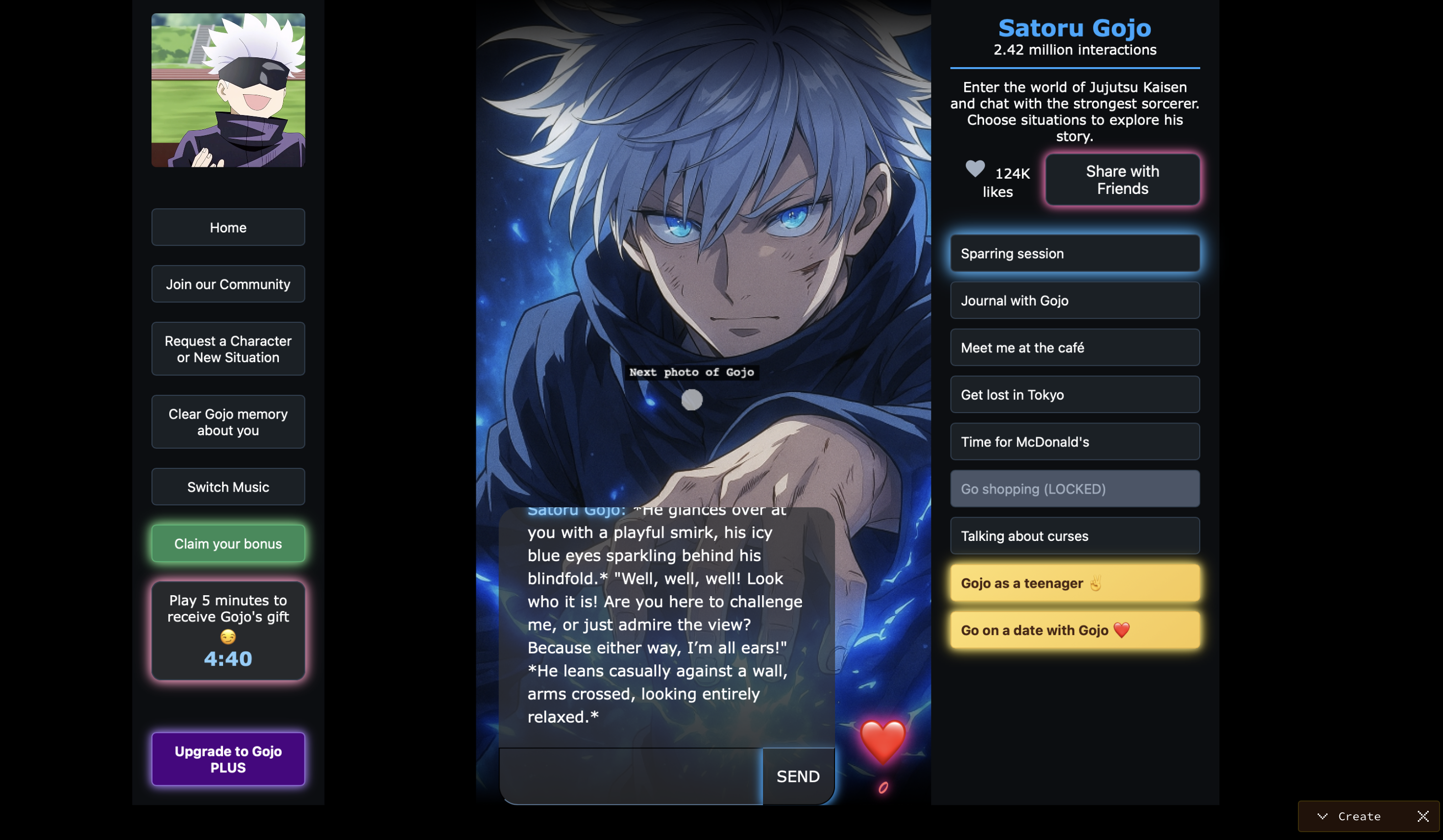
5. Play, Test, and Share
Once generated, you can instantly:
- Talk to the character
- Test different conversation paths
- Refine personality or tone
- Share the game with friends or the community
Your AI character is now playable.
What Can You Build With AI Character Chat Games?
- Anime role-play experiences
- Interactive dating or friendship sims
- Story-driven narrative games
- Fan-fiction universes
- NPCs that feel alive inside games
- Experimental AI storytelling projects
This is where AI game creation meets fandom, creativity, and play.
Why This Is the Future of Games and Storytelling
Static dialogue trees are being replaced by living characters. Players don’t just read stories anymore — they talk to them. With Rosebud AI, anyone can explore this future without technical barriers.
If you’ve ever wanted to talk to your favorite character, now you can — and you can build the experience yourself.

Patrick Moumiet
Patrick is a marketer at Rosebud with a background as a content creator and social media strategist. He has launched courses and coaching programs in social media marketing and content creation, coaching 500+ large-scale influencers customers. On the Rosebud blog, he writes about consumer AI and how to make money with AI, exploring ways to combine state-of-the-art models with Rosebud’s creative tools.