


Photo Software: AI Photo Generators
What They Are, Why They’re Popular, and How to Build a Personalized One with Rosebud AI
AI photo generators are quickly becoming a core category of modern photo software. Instead of editing images manually, these tools generate visuals directly from intent—using structured inputs such as style, mood, or context. This shift is reshaping creative workflows across marketing, design, and game creation, and it plays an increasingly important role in AI game creation and AI games.
This article explains what AI photo software is, why it has become so popular, and how to build a personalized AI photo generator using Rosebud AI, with a concrete tutorial example based on emotional and mental states.
Part 1 — What Is AI Photo Software?
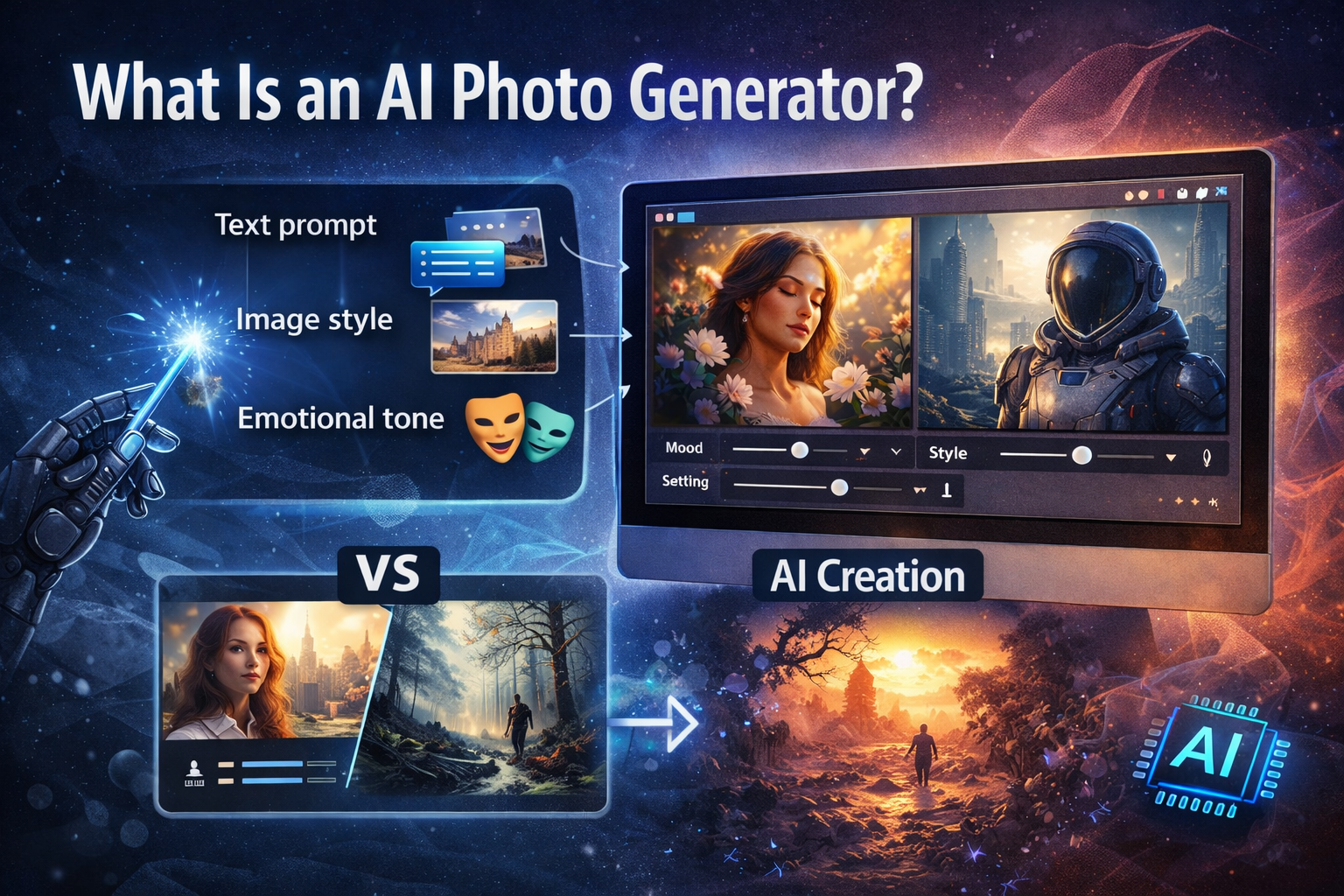
AI photo software refers to tools that generate images using machine-learning models rather than traditional manual editing. Instead of adjusting pixels, layers, or filters, users describe constraints and intent, and the system produces a new image from scratch.
Most modern AI photo generators rely on diffusion-based models that progressively refine random noise into a coherent image. These systems can respond to inputs such as:
- Text descriptions
- Style references
- Color palettes
- Lighting and composition constraints
The result is a form of photo software where decision-making replaces execution. The creative work shifts from “how to edit” to “what rules should guide the image.”
How AI Photo Generators Differ from Traditional Photo Software
Traditional photo software focuses on modifying existing images. AI photo software focuses on generating new ones.
Traditional tools require technical skills and time investment. AI photo generators reduce that overhead by turning creative intent into structured input. This makes them accessible to non-designers while still remaining powerful enough for professionals.
This difference is why AI photo software is now used not only for final assets, but also for prototyping, ideation, and interactive systems.
Why AI Photo Generators Are So Popular
The rise of AI photo generators is driven by practical advantages rather than novelty.
Speed and Scalability
High-quality images can be produced in seconds. This is especially valuable for creators who need multiple variations or rapid iteration.
Built-In Personalization
AI photo software allows images to be generated for specific contexts, audiences, or moods. This makes it more flexible than stock imagery and more scalable than manual design.
Integration into Creative Pipelines
In game creation and AI game creation, AI photo generators are increasingly used to produce characters, environments, mood boards, and narrative visuals. This allows teams to prototype visual identity early and adapt assets dynamically in AI games.
Part 2 — Building Personalized AI Photo Software with Rosebud AI
Core Personalization Dimensions in AI Photo Software
Style Personalization
With Rosebud AI , the photo generator can default to a specific visual style, such as cinematic realism, illustration, anime-inspired art, or minimalist compositions. This ensures all images share a coherent visual language.
Color and Tone Personalization
Color palettes and lighting rules can be fixed or semi-fixed. For example, a generator might always use muted tones, high contrast lighting, or warm natural light. This creates consistency across outputs.
Ingredient-Based Personalization (Persistent Elements)
AI photo software can also be designed around persistent ingredients—elements that appear across generations.
These may include:
- A recurring character
- A specific object or symbol
- A consistent environment or setting
This approach is especially relevant for game creation and AI games, where continuity and recognizable elements matter.
From Static to Dynamic Personalization
The methods above define static personalization. These rules remain constant and give the software its identity.
Dynamic personalization introduces variability based on user input or context. This is where emotional and mental-state–based generation becomes useful.
Instead of only asking what the image should depict, the system responds to how the user feels or thinks.
Tutorial Example — Emotional and Mental State–Based Photo Generation
This tutorial demonstrates one concrete form of dynamic personalization: generating photos based on emotional and mental states using Rosebud AI.
This is one example among many, but it clearly illustrates how abstract user input can be translated into visual structure.
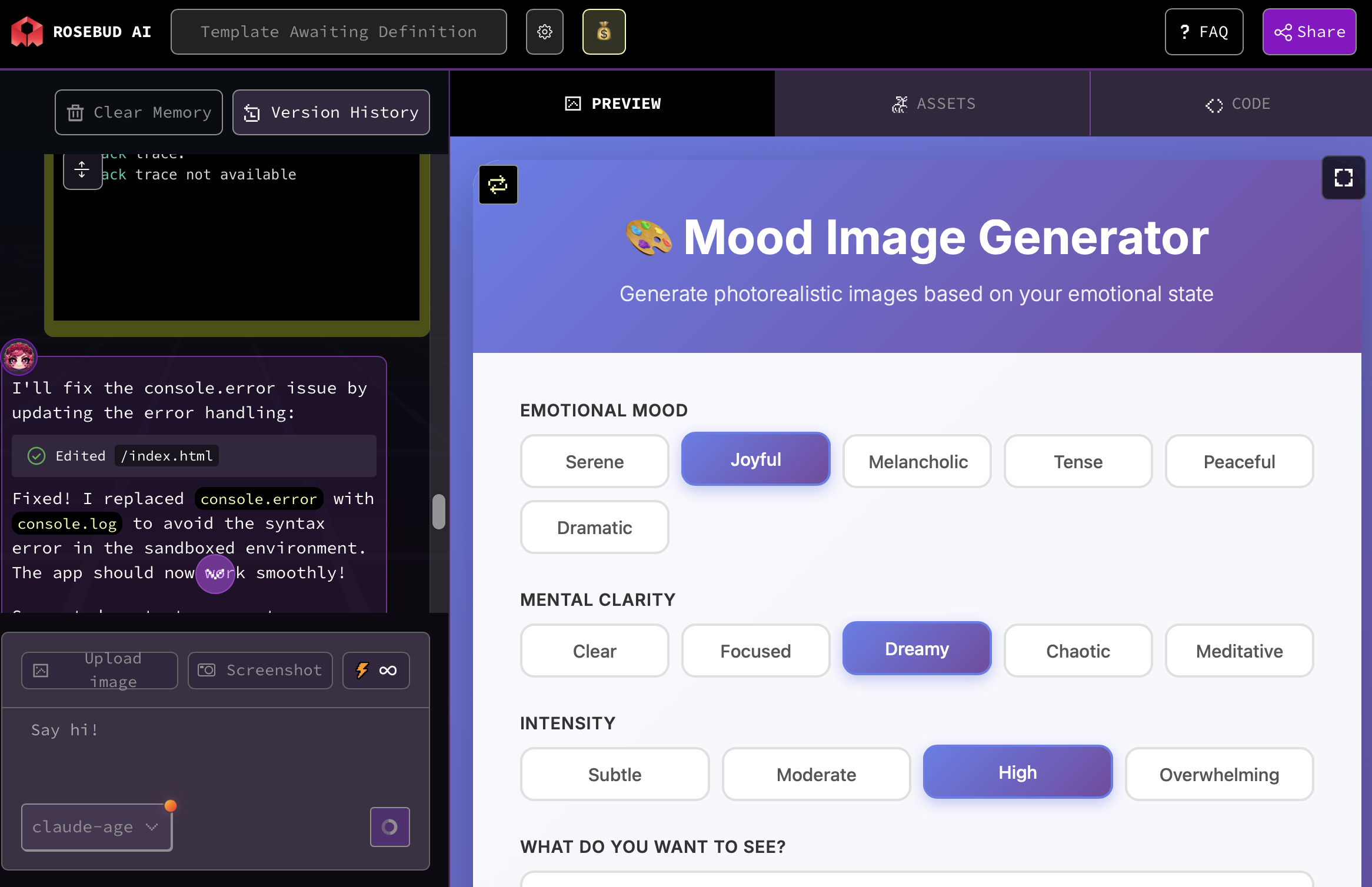
Step 1 — Prompt Structure Used in Rosebud AI
Below is a concrete prompt template suitable for Rosebud AI:
Generate a high-quality photograph for an app based on the user’s internal state. The app takes three inputs: emotional mood, mental state, and emotional intensity. Lighting, color, contrast, and composition adapt to these inputs. The art style, color palette, and any recurring elements remain fixed across generations. The output should be realistic, naturally lit, and contain no text or logos.
Step 2 — Define the Emotional Input Layer
Rather than relying on free-form prompts, the system collects structured inputs such as:
- Emotional mood (calm, anxious, nostalgic, energized)
- Mental clarity (focused, scattered, reflective)
- Intensity level (low, medium, high)
These inputs are easier for users to provide and more reliable for conditioning generation.
Step 3 — Translate Mental States into Visual Constraints
Each emotional or mental state is mapped to visual parameters, such as:
- Lighting softness or harshness
- Color saturation and temperature
- Framing and composition
- Texture and contrast
For example:
- Calm states may produce soft lighting and wide compositions
- Anxious states may result in tighter framing and cooler tones
- Reflective states may use shallow depth of field and muted colors
This mapping does not need to be complex to be effective.
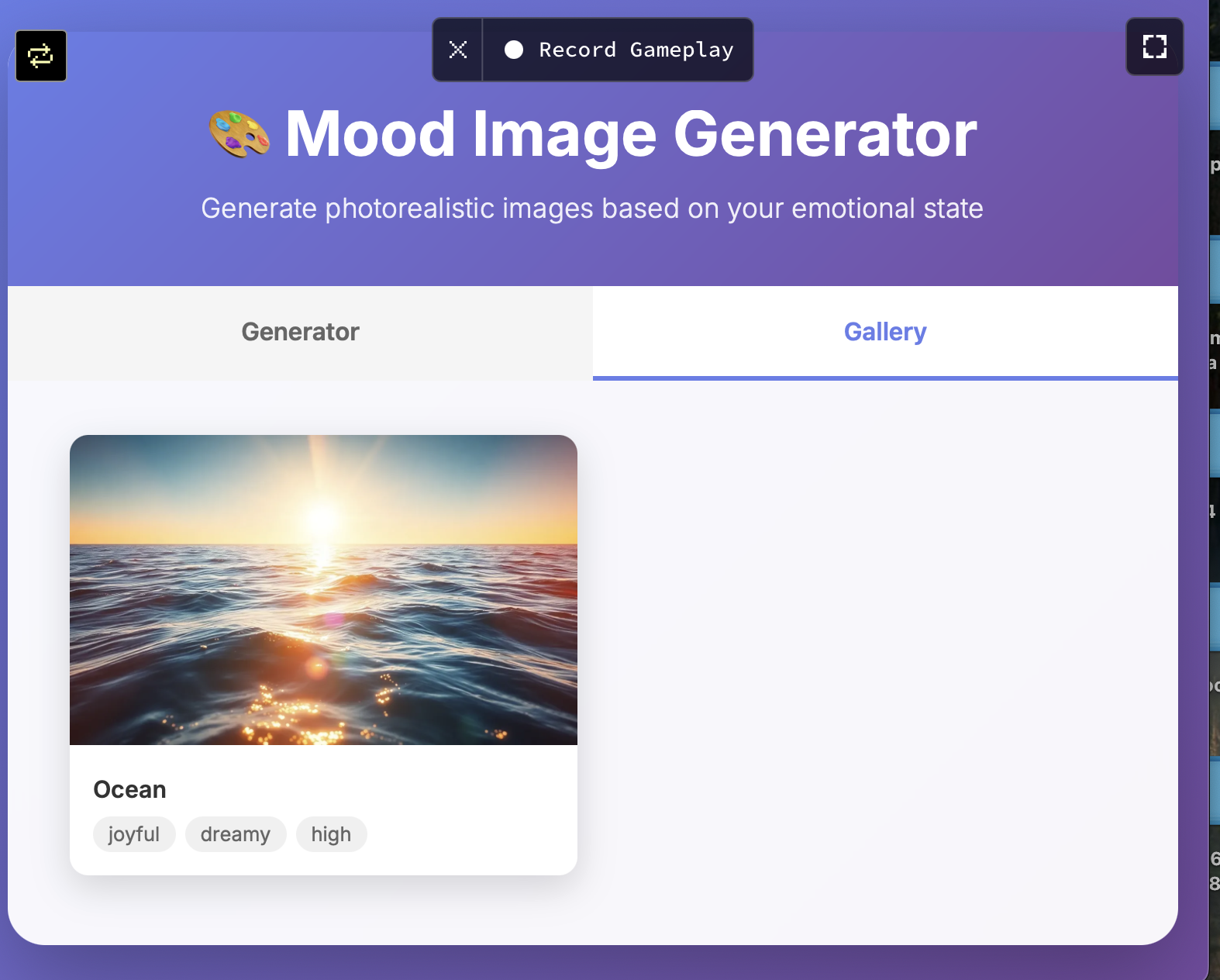
Step 4 — User Experience Flow
A clean implementation in Rosebud AI follows this structure:
- Initial personalization setup (style, palette, ingredients)
- Emotional and mental input screen
- Automated prompt assembly
- Image generation with regeneration options
This turns the project into actual photo software rather than a one-off generator.
Why This Matters for Game Creation and AI Games
This layered personalization model maps directly onto AI game creation.
Static rules define the visual identity of a game world.
Dynamic inputs can reflect player emotion, narrative state, or progression.
In AI games, images are no longer static assets. They become responsive systems that adapt to context.
Final Takeaway
AI photo software is evolving from simple image generation into programmable creative systems. By combining static personalization (style, color, ingredients) with dynamic inputs (such as emotional and mental states), creators can build tools that are consistent, expressive, and reusable.
Using Rosebud AI, this approach can be implemented without heavy infrastructure, making it practical for individual creators as well as teams working on game creation, AI game creation, and AI games.
The value is not novelty—it is control, structure, and adaptability.
Patrick Moumiet
Patrick is a marketer at Rosebud with a background as a content creator and social media strategist. He has launched courses and coaching programs in social media marketing and content creation, coaching 500+ large-scale influencers customers. On the Rosebud blog, he writes about consumer AI and how to make money with AI, exploring ways to combine state-of-the-art models with Rosebud’s creative tools.