


Create an Anime Character & Story Game with Rosebud AI (Video Gen)
Want to bring your favorite anime vibe to life—without naming copyrighted characters? Here’s a quick, practical guide to using Rosebud AI’s Video Gen to design a look-alike character and turn them into a playable story game.
👉 Start here: rosebud.ai/gen
1) Prep your character (copyright-safe)
- Pick a reference look: Gather 2–6 images that capture the style (hair, outfit, color palette, era) of the character you have in mind.
- Describe, don’t name: Use broad descriptors like “spiky dark hair, orange-black streetwear, high-energy ninja vibe.” Avoid brand and character names.
- Define core traits: Personality (brave, shy, snarky), goals (protect friend, win tournament), and signature actions (dash, leap, energy pose).
2) Generate an initial character video
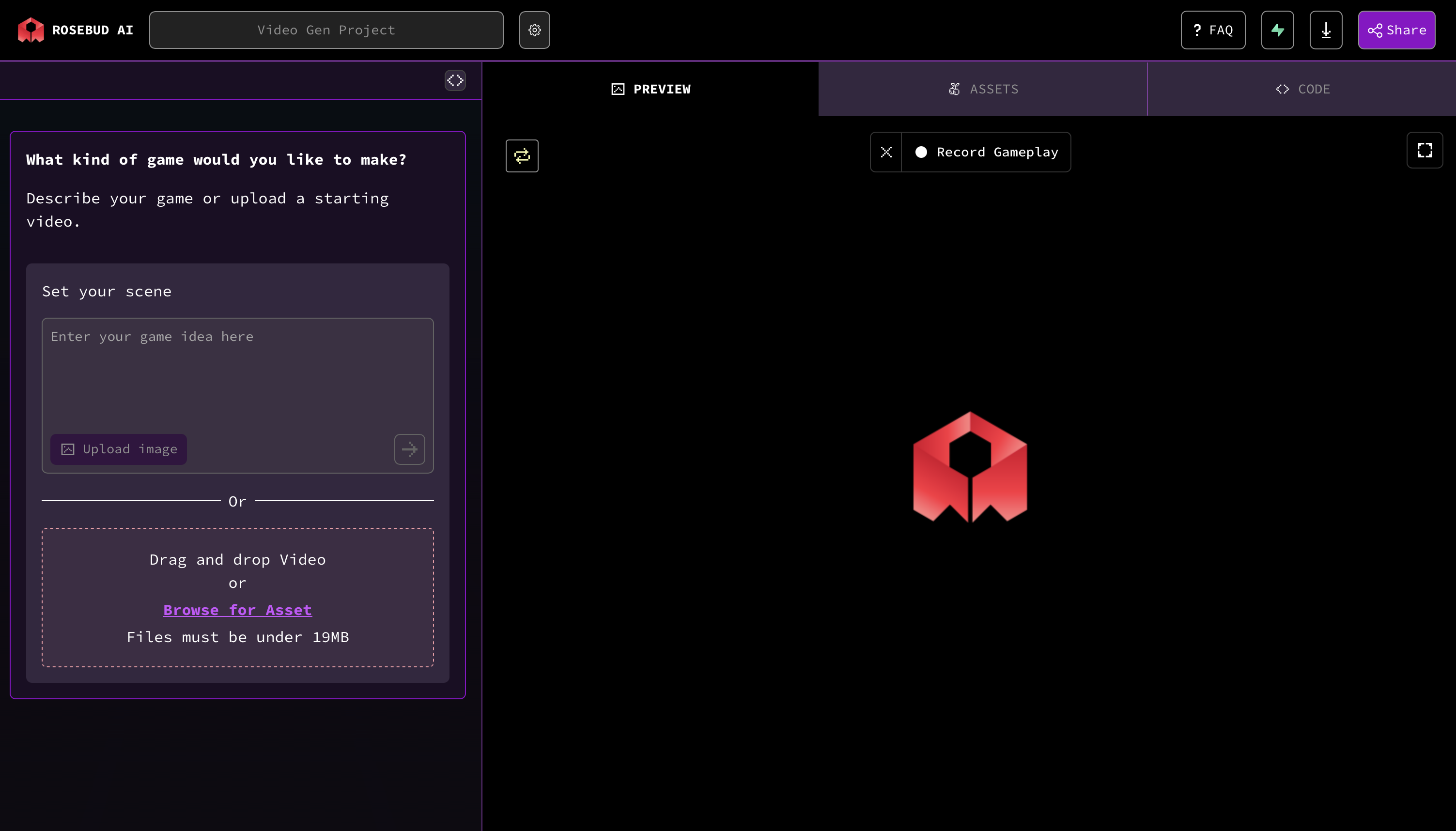
- Open Video Gen → Create.
- Upload your selected images (or paste image links).
- In the prompt, describe the look + motion:
- “Close-up of a youthful anime fighter, spiky dark hair with orange accents, black jacket, headband, determined expression. Neon alley at night, light rain, slow camera push-in, dramatic rim-light.”
- Generate.
Prompt template (copy/paste)
A stylized anime hero with [hair & color], wearing [outfit details], [mood/personality]. Scene: [location + lighting]. Action: [simple motion]. Camera: [angle/movement]. Do not use any copyrighted names or logos.
3) Turn it into a story game (branching paths)
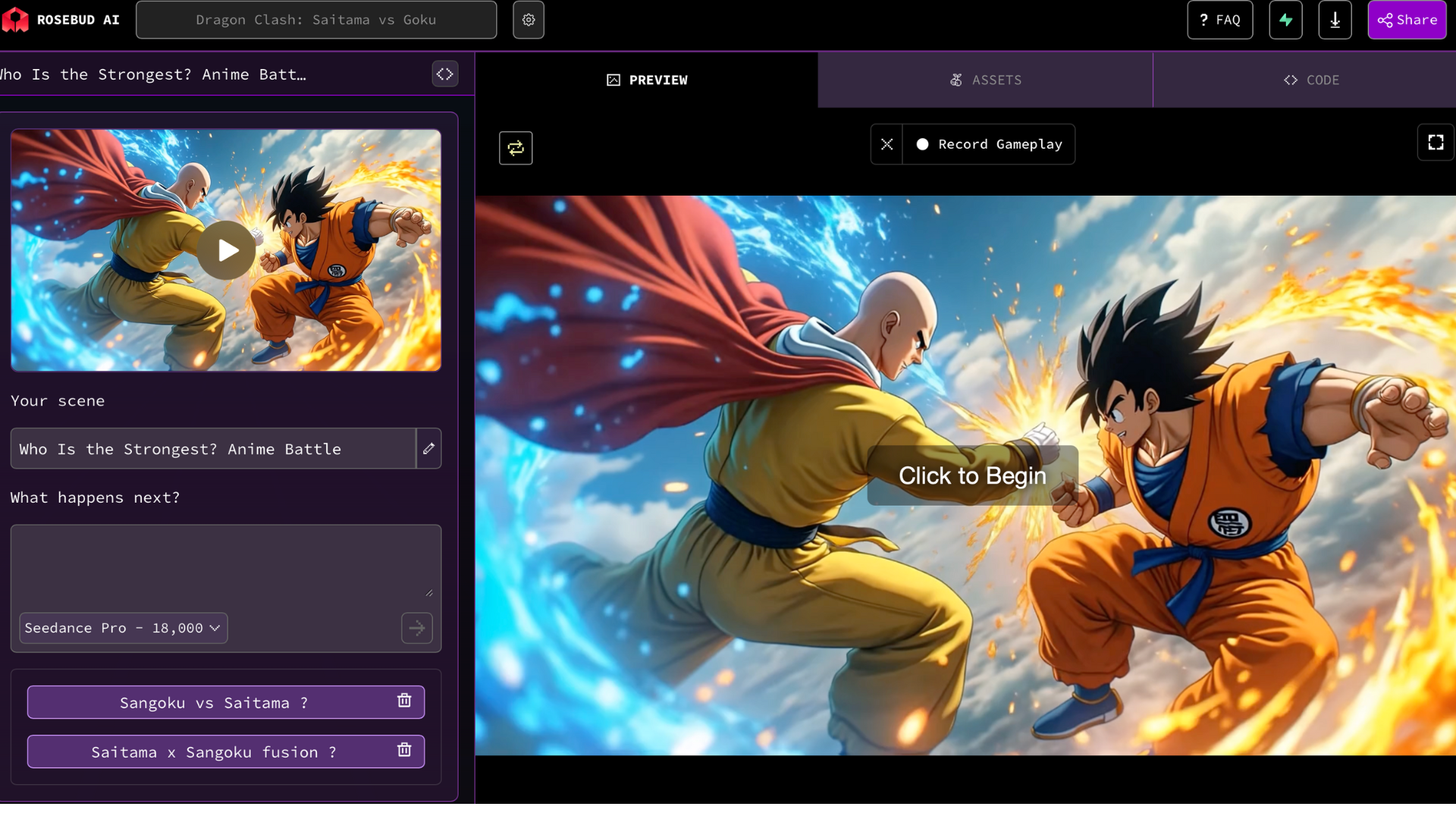
In Rosebud’s game maker flow, build a branching scenario so players can choose what happens next.
Example structure
- Scene 1 – Arrival: The hero steps into a neon market.
- Choice A: Investigate the strange signal.
- Choice B: Help a merchant under threat.
- Scene 2A – Signal → stealth rooftop run; Scene 2B – Merchant → quick duel.
- Scene 3 – Reveal: A masked rival appears; player chooses to negotiate or fight.
Tip: For each node, generate a short Video Gen clip (5–10s) that matches the choice outcome. Keep prompts consistent so the character stays recognizable.
4) Write tight scene prompts
- Action: “Hero sprints, coat flowing; slides under drone spotlight; lands in three-point pose.”
- Dialogue vibe: “Confident but compassionate tone; short lines; purposeful pauses.”
- Cinematic glue: “Match-cut to close-up; particles drifting; soft bloom highlights.”
5) Keep continuity consistent
- Reuse the same style descriptors (hair, outfit, palette) across clips.
- Lock a lighting theme (e.g., neon blues + magenta rim) for all scenes.
- Save a prompt block you paste into every generation to prevent drift.
6) Ship it
- Playtest your branches: does each choice feel meaningfull?
- Publish from rosebud.ai/gen and share!
Mini prompt pack (3 ready-to-use starters)
- Hero Intro
Youthful anime fighter, spiky dark hair with orange accent, black jacket, headband, focused gaze. Neon alley at night, light rain, lens flare. Slow push-in, subtle breath, cloak flutter. Dramatic rim-light. No copyrighted names.
- Choice A – Rooftop Pursuit
Same character design. Rooftop chase in neon district, puddles, reflections. Sprint, leap, slide under drone spotlight; camera tracking side profile, dynamic parallax. Consistent color palette. No names/logos.
- Choice B – Market Duel
Same character design. Busy neon market, sparks, paper talismans in wind. Short duel sequence: sidestep, parry, restrained counter. Medium handheld shot; brief motion blur. No copyrighted references.
Build your first anime-style story now → rosebud.ai/gen
Make a 10-second hero shot, add two branches, and iterate. Volume + consistency = magic.
Patrick Moumiet
Patrick is a marketer at Rosebud with a background as a content creator and social media strategist. He has launched courses and coaching programs in social media marketing and content creation, coaching 500+ large-scale influencers customers. On the Rosebud blog, he writes about consumer AI and how to make money with AI, exploring ways to combine state-of-the-art models with Rosebud’s creative tools.